Project
Ask a Librarian
Client
Wayne State University Library System
Summary
I led a redesign to increase the discoverability and usability of library chat reference.
Background
Even with the best of intentions as gatekeepers of information, academic libraries often struggle with their web presences. But while limited resources can make a full redesign out of reach, a lot of insight can be gained from listening to users and making small tweaks accordingly.
After making some changes to library.wayne.edu, the web team decided to start doing usability testing on a weekly basis to inform our decision making. We ran lean, guerrilla-style tests in the atrium of the Undergraduate Library, and the insight we gained quickly proved invaluable. The process wasn’t perfect, but it was good enough to make a difference for our users.
Soon after starting weekly tests, we got feedback from a Wayne State librarian that students were having trouble locating the library’s 24/7 chat service on Ask a Librarian, the website’s help page. For the next month, we focused our testing on this chat service, which operates through the LibraryH3lp platform.
Using the iterative process, the web team researched solutions, deployed test code, and put it front of users again and again until we found consistent improvement.
Process
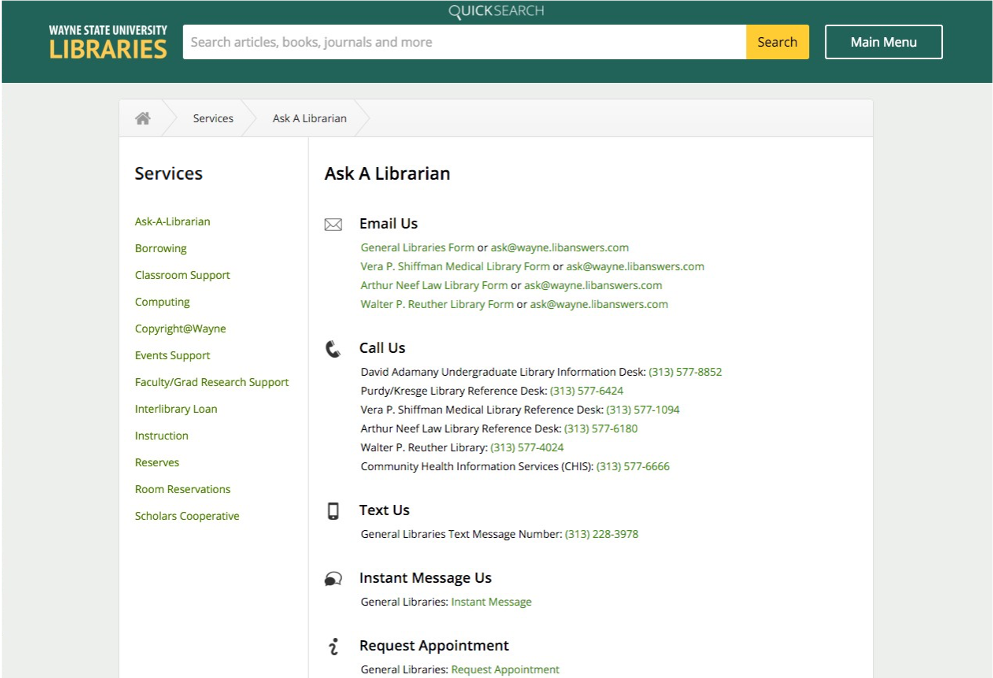
This is what Ask a Librarian looked like before we began testing. It was organized (almost) alphabetically with “Email Us” at the top. Chat was accessible via hyperlink, under the heading “Instant Message Us.”
LibraryH3lp does allow for customizations, but we hadn’t done any. While users might expect a small popup chat box, the “Instant Message Us” link opened up a new window that was way too big to make sense. Furthermore, on first glance the chat seemed a bit buried, listed fourth behind “Text Us,” a service data showed was rarely used.
It wasn’t working, and a great service – 24/7 library reference at a click of a button – was going unnoticed.
Our first order of business was simple – move “Instant Message Us” to the top. After an internal survey of stakeholder librarians we added a chat box to increase visibility. The idea behind this was that students could type directly in the box to access chat.
A direct embed of the chat box wasn’t necessarily the web team’s first choice, but it was available as a widget through LibraryH3lp and librarians were already familiar with it (having used it in personal projects), so we tried it out.
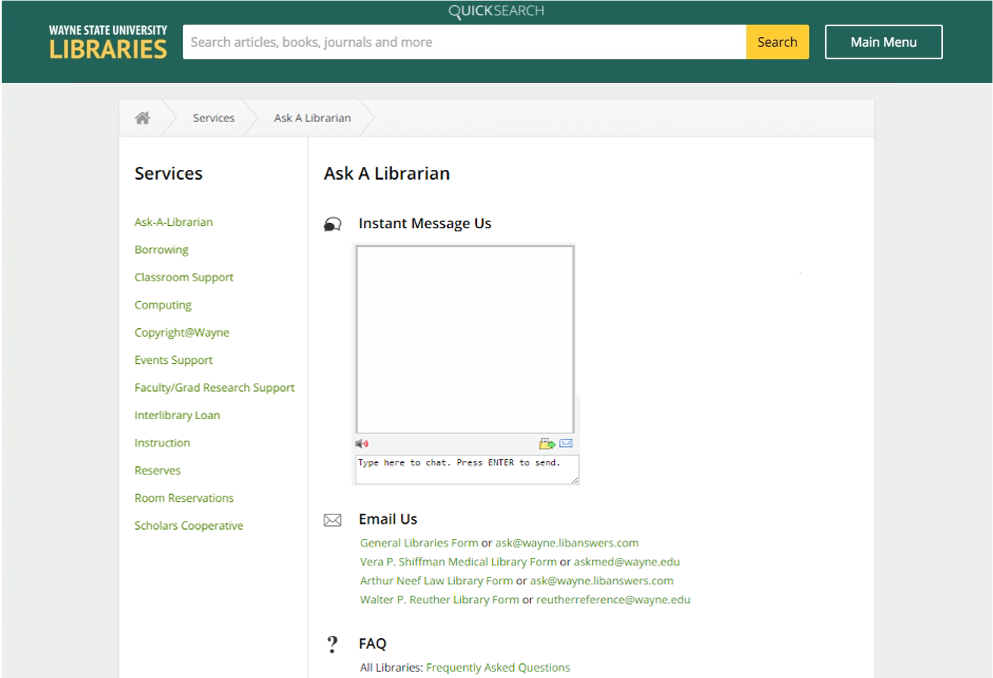
Feedback from our weekly guerrilla testing with students showed us that inserting the chat box was not helpful, because users didn’t realize they could type in it. Some assumed it was a picture!
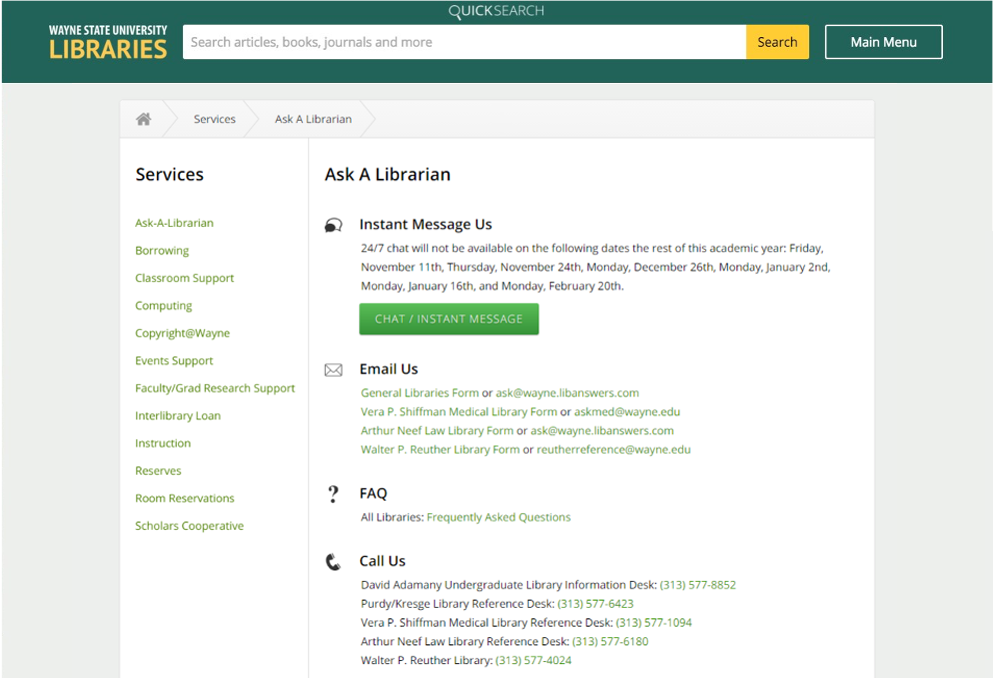
In response, we replaced the chat box with a button. We had to contact LibraryH3lp support for the basic code, but once we got it we were able to easily customize it to match the styling on the rest of the site. Why hadn’t we done this earlier? When a user clicks the button, a chat box pops up in a new window.
Takeaways
The importance of iterative testing revealed itself quickly during this project. A month after we introduced the final iteration of the page, our analytics showed a 70% increase in chat reference use! It also showed us that small changes can have a large impact, and how even minor edits warrant user feedback. Test early, test often.